Threat Manager: Μπλοκάρετε ιχνηλάτες σε εφαρμογές και ιστότοπους με το ExpressVPN
Αποτρέψτε την ανεπιθύμητη παρακολούθηση σε όλες τις εφαρμογές με αυτόματη προστασία σε επίπεδο συσκευής
- Αποκλείστε ιχνηλάτες και κακόβουλους ιστότοπους σε όλο το σύστημά σας, όχι μόνο στον περιηγητή σας
- Αποτρέψτε τις εφαρμογές από την αποστολή δεδομένων συμπεριφοράς σε προγράμματα παρακολούθησης τρίτων
- Αποκτήστε πολυεπίπεδη προστασία και ενισχυμένο απόρρητο με 1 συνδρομή στο ExpressVPN
Ξεκινήστε το δοκιμαστικό σας χωρίς ρίσκο
Εγγύηση επιστροφής χρημάτων 30 ημερών για νέους χρήστες.

Τι μπλοκάρει το Threat Manager και γιατί έχει σημασία
Μπλοκάρει εφαρμογές και ιστότοπους από γνωστά κακόβουλα domain και domain παρακολούθησης

Πώς οι ιχνηλάτες συλλέγουν και χρησιμοποιούν τα δεδομένα σας
Οι περισσότερες εφαρμογές και ιστοσελίδες στέλνουν δεδομένα σε διάφορους ιχνηλάτες τρίτων κάθε φορά που τις χρησιμοποιείτε. Αυτό μπορεί να περιλαμβάνει τι βλέπετε, τον τρόπο που αλληλεπιδράτε με το περιεχόμενο, καθώς και πληροφορίες σχετικά με τη συσκευή και τη σύνδεσή σας.
Τα διαφημιστικά δίκτυα και οι πλατφόρμες ανάλυσης χρησιμοποιούν αυτά τα δεδομένα για τη δημιουργία προφίλ με σκοπό τη στοχευμένη διαφήμιση, την εξατομίκευση και την παρακολούθηση μεταξύ εφαρμογών. Η δραστηριότητά σας σε μια εφαρμογή μπορεί να επηρεάσει τις διαφημίσεις και το περιεχόμενο που βλέπετε και εκτός της εφαρμογής αυτής.

Κρυφοί κίνδυνοι σε εφαρμογές και ιστότοπους
Οι περισσότεροι χρήστες δεν συνειδητοποιούν ότι ο περιηγητής τους αποτελεί μόνο ένα μικρό κομμάτι της διαδικτυακής τους δραστηριότητας. Τα fitness trackers, οι εφαρμογές ανταλλαγής μηνυμάτων, οι ειδησεογραφικές εφαρμογές, οι εφαρμογές streaming και τα παιχνίδια στέλνουν τακτικά δεδομένα σε εργαλεία παρακολούθησης τρίτων, με σκοπό τη δημιουργία ενός συμπεριφορικού προφίλ.
Αυτές οι συνδέσεις παραμένουν ενεργές ακόμη και όταν οι εφαρμογές δεν χρησιμοποιούνται, δημιουργώντας κενά στην προστασία του απορρήτου, τα οποία δεν μπορούν να καλυφθούν από προγράμματα αποκλεισμού ιχνηλατών που λειτουργούν αποκλειστικά στον περιηγητή σας.

Πώς το Threat Manager εμποδίζει ενεργά τη διαβίβαση δεδομένων στους ιχνηλάτες
Το Threat Manager λειτουργεί σε επίπεδο DNS και παρεμβάλλεται στα αιτήματα σύνδεσης πριν αυτά φύγουν από τη συσκευή σας.
Όταν μια εφαρμογή ή υπηρεσία προσπαθεί να στείλει δεδομένα σε ένα domain, το Threat Manager ελέγχει λίστες αποκλεισμού που ενημερώνονται τακτικά και περιλαμβάνουν γνωστά domain παρακολούθησης και κακόβουλα domain. Τα domain που έχουν προστεθεί στη λίστα αποκλεισμού δεν μπορούν να λάβουν δεδομένα, εμποδίζοντας έτσι την παρακολούθηση σε επίπεδο πηγής, σε όλες τις εφαρμογές.
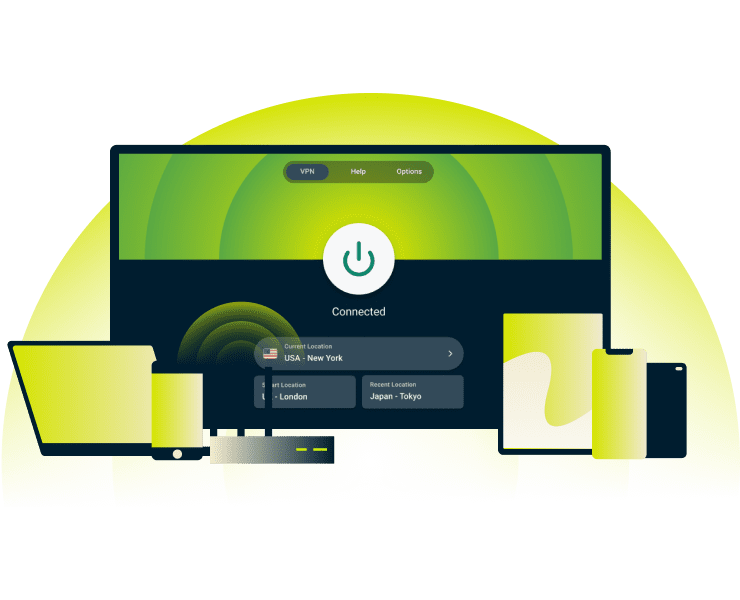
Προστασία που δεν περιορίζεται μόνο στην περιήγηση
Σε αντίθεση με τις επεκτάσεις περιηγητών, οι οποίες προστατεύουν την κίνηση σε περιηγητές, το Threat Manager εμποδίζει την παρακολούθηση σε όλες τις εφαρμογές σας. Εφαρμογές email, υπηρεσίες αποθήκευσης στο cloud, βοηθητικές εφαρμογές συσκευών και εφαρμογές IoT, συνδέονται στο παρασκήνιο με διακομιστές ανάλυσης δεδομένων.
Ακόμα και όταν είστε επικεντρωμένοι σε μία εργασία, το Threat Manager παρακολουθεί και αποκλείει ταυτόχρονα δεκάδες διεργασίες που εκτελούνται στο παρασκήνιο.

Μεγαλύτερη προστασία απορρήτου σε συνδυασμό με το VPN σας
Πώς λειτουργεί ένα VPN; Κρυπτογραφεί τη διαδικτυακή κίνηση, αποκρύπτει τη διεύθυνση IP και κρατά τη δραστηριότητά σας κρυφή από παρόχους υπηρεσιών διαδικτύου, διαχειριστές δικτύων και χάκερ σε κοινόχρηστα δίκτυα. Ωστόσο, αυτό το επίπεδο προστασίας δεν εμποδίζει τις εφαρμογές και τους ιστότοπους από το να μοιράζονται συμπεριφορικά δεδομένα με ιχνηλάτες τρίτων.
Το εργαλείο αποκλεισμού απειλών προσθέτει ένα επιπλέον επίπεδο προστασίας, εμποδίζοντας συνδέσεις με ιχνηλάτες σε επίπεδο συσκευής, ενώ ταυτόχρονα το VPN προσφέρει μια κρυπτογραφημένη σύνδεση.
Πώς να ενεργοποιήσετε το Threat Manager
Αποκλείστε τους ιχνηλάτες με το Threat Manager με ένα μόνο κλικ

Συνδεθείτε στο VPN χρησιμοποιώντας το πρωτόκολλο Lightway ή την αυτόματη επιλογή πρωτοκόλλου
Κάντε την εγγραφή σας στο ExpressVPN και κατεβάστε την εφαρμογή στη συσκευή σας.
Το Threat Manager* χρησιμοποιεί το πρωτόκολλο Lightway ή την αυτόματη επιλογή πρωτοκόλλου για τη λειτουργία του. Μπορείτε να τα επιλέξετε στις ρυθμίσεις της εφαρμογής, στην ενότητα «Protocol».
*Το Threat Manager προσφέρεται στη σειρά εργαλείων προστασίας απορρήτου Advanced Protection του ExpressVPN και είναι εσωματωμένο στις συνδρομές Advanced ή Pro
Αποκτήστε πρόσβαση στις επιλογές προηγμένης προστασίας στην εφαρμογή σας
Μεταβείτε στην ενότητα «Upgrades» ή «Preferences», ανάλογα με την πλατφόρμα που χρησιμοποιείτε, για να βρείτε την επιλογή «Advanced Protection», όπου εκεί βρίσκεται το Threat Manager. Η διαδρομή μπορεί να διαφέρει ανάλογα με τη συσκευή, αλλά εμφανίζεται ξεκάθαρα στις ρυθμίσεις της εφαρμογής σας.
iOS: Πατήστε Πρόσθετα > «Advanced Protection»
Android: Πατήστε Πρόσθετα > «Advanced Protection»
Mac: Κάντε κλικ στα «Menu» > «Preferences» > «Advanced Protection»
Windows: Κάντε κλικ στα «Menu» > «Options» > «Advanced Protection»
Ενεργοποιήστε την επιλογή «Block Trackers» στην ενότητα «Advanced Protection»
Σε Linux, μπορείτε να ενεργοποιήσετε το Threat Manager από το τερματικό εκτελώντας την ακόλουθη εντολή:
Σε Linux, εκτελέστε τις παρακάτω εντολές στο τερματικό:
- Για να αποκλείσετε τους ιχνηλάτες, πληκτρολογήστε την εντολή: expressvpn preferences set block_trackers true
- Για να αποκλείσετε κακόβουλους ιστότοπους, πληκτρολογήστε την εντολή: expressvpn preferences set block_malicious true
- Εάν χρησιμοποιείτε το Aircove, το Threat Manager είναι ήδη ενεργοποιημένο στον δρομολογητή σας.
Για περισσότερες πληροφορίες σχετικά με την προσαρμογή του Threat Manager και των προηγμένων επιλογών προστασίας, επισκεφθείτε το κέντρο γνώσης.
Υποστηριζόμενες συσκευές και απαιτήσεις
Δείτε σε ποιες συσκευές λειτουργεί το Threat Manager και τι χρειάζεστε για να το χρησιμοποιήσετε
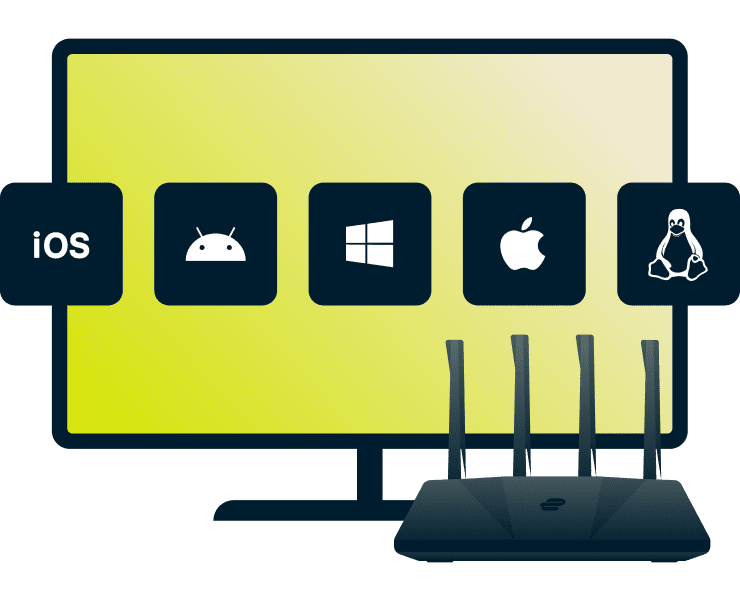
Threat Manager και υποστηριζόμενες πλατφόρμες
Το Threat Manager λειτουργεί στις περισσότερες συσκευές που υποστηρίζουν τις εφαρμογές του ExpressVPN, όπως:
- Κινητά και υπολογιστές: iOS, Android, Mac, Windows, Linux
- Smart TV: Apple TV* (μόνο αποκλεισμός ιχνηλατών)
- Δρομολογητές: ExpressVPN Aircove (πλήρης VPN προστασία)
*Ο αποκλεισμός ιχνηλατών σε Apple TV περιορίζεται σε DNS αιτήματα, ενώ το Aircove παρέχει προστασία VPN σε επίπεδο συστήματος.
Τεχνικές προδιαγραφές
Για να χρησιμοποιήσετε αποτελεσματικά το Threat Manager, το VPN σας πρέπει να πληροί τις ακόλουθες προϋποθέσεις:
- Πιο πρόσφατη έκδοση της εφαρμογής ExpressVPN για τη συσκευή σας
- Πρωτόκολλο: Lightway ή αυτόματη επιλογή (το OpenVPN δεν υποστηρίζεται)
- Σύνδεση VPN: Πρέπει να είναι ενεργοποιημένη για να μπορεί το Threat Manager να αποκλείει αιτήματα (το Airсove εξαιρείται)
- Linux: Έκδοση CLI 3.0 ή μεταγενέστερη
Πραγματικά οφέλη της χρήσης του Threat Manager
Αποτρέψτε την ανεπιθύμητη παρακολούθηση και ανακτήστε τον έλεγχο της δραστηριότητάς σας στο διαδίκτυο

Λιγότερες στοχευμένες διαφημίσεις και αποφυγή δημιουργίας προφίλ
Οι ειδησεογραφικές εφαρμογές και ιστότοποι παρακολουθούν τι διαβάζετε, πόσο χρόνο αφιερώνετε στα άρθρα και σε ποιους συνδέσμους κάνετε κλικ, ώστε να διαμοιράζονται τα δεδομένα αυτά με τρίτους για να προσαρμόζουν το περιεχόμενο και τις διαφημίσεις τους.
Το Threat Manager αποκλείει τα αιτήματα παρακολούθησης πριν φτάσουν στους διακομιστές, εμποδίζοντας τους διαφημιστές να δημιουργούν λεπτομερή προφίλ σε εφαρμογές και ιστότοπους. Το αποτέλεσμα: λιγότερες εξατομικευμένες διαφημίσεις, μερική προστασία από τιμολόγηση βάσει δραστηριότητας (τιμολογιακή διάκριση) και μια πιο καθαρή εμπειρία στο διαδίκτυο.
Μεγαλύτερος έλεγχος στα δικαιώματα των εφαρμογών
Μπλοκάροντας αυτόματα τις συνδέσεις παρακολούθησης σε όλες τις εφαρμογές, το Threat Manager προσφέρει ενισχυμένη προστασία απορρήτου σε όλο το σύστημα, χωρίς να απαιτείται καμία χειροκίνητη ρύθμιση.
Ρυθμίστε το μία φορά και ξεχάστε το. Δεν χρειάζεται να ελέγχετε ξεχωριστά τις άδειες κάθε εφαρμογής ή να προσαρμόζετε τις ρυθμίσεις της. Οι λίστες αποκλεισμού ενημερώνονται τακτικά με αυτόματο τρόπο.
Threat Manager vs. αποκλειστική προστασία του περιηγητή
| Επεκτάσεις περιηγητή για μπλοκάρισμα ιχνηλατών | ExpressVPN Threat Manager | |
|---|---|---|
| Αποκλείει τους ιχνηλάτες σε όλο το σύστημα | ✘ | ✔ |
| Αποκλείει τη σύνδεση με κακόβουλους ιστότοπους | ✔ (μόνο στον περιηγητή) | ✔ |
| Εγκατάσταση με ένα κλικ | ✘ | ✔ |
| Αυτόματη εγκατάσταση | ✘ | ✔ |
| Χωρίς παρακολούθηση από τρίτους | ✘ | ✔ |
| Κρυπτογραφεί όλη την κίνηση | ✘ | ✔ |
| Λειτουργεί σε πολλές συσκευές | ✘ | ✔ |
Γιατί να επιλέξετε το ExpressVPN για προστασία από απειλές;
Ανακαλύψτε πώς το ExpressVPN προσφέρει την πιο ολοκληρωμένη προστασία απορρήτου στο διαδίκτυο
-
![Recommended Vpn@2x 3]()
Τεχνολογία TrustedServer και ανεξάρτητοι έλεγχοι
Η τεχνολογία TrustedServer του ExpressVPN λειτουργεί μέσω διακομιστών που βασίζονται αποκλειστικά σε RAM, διαγράφοντας όλα τα δεδομένα σε κάθε επανεκκίνηση. Αυτή είναι μία από τις πολλές προηγμένες λειτουργίες ασφαλείας που εμποδίζουν τα συστήματά μας να συλλέγουν και να αποθηκεύουν δεδομένα σύνδεσης των χρηστών. Αυτές οι πρακτικές επαληθεύονται μέσω τακτικών ανεξάρτητων ελέγχων.
-
![Εξ' ορισμού ιδιωτικότητα: Δεν καταγράφεται τίποτα, δεν κοινοποιείται τίποτα Με έ...]()
Εξ' ορισμού ιδιωτικότητα: Δεν καταγράφεται τίποτα, δεν κοινοποιείται τίποτα
Με έδρα τις Βρετανικές Παρθένες Νήσους, το ExpressVPN προσφέρει ισχυρή προστασία της ιδιωτικής ζωής βάσει της τοπικής νομοθεσίας. Ακολουθώντας μια αυστηρή πολιτική μη τήρησης αρχείων καταγραφής, η εταιρεία δεν αποθηκεύει πληροφορίες σχετικά με τη δραστηριότητα στο διαδίκτυο, τις συνδέσεις ή τα προσωπικά σας δεδομένα.
-
![24/7 ζωντανή υποστήριξη και δωρεάν δοκιμαστικό Οι νέοι πελάτες μπορούν να δοκιμάσ...]()
24/7 ζωντανή υποστήριξη και δωρεάν δοκιμαστικό
Οι νέοι πελάτες μπορούν να δοκιμάσουν το ExpressVPN χωρίς κανένα ρίσκο, χάρη στην εγγύηση επιστροφής χρημάτων 30 ημερών*.
Εάν το προϊόν δεν ανταποκρίνεται στις ανάγκες σας, η πολυγλωσσική ομάδα υποστήριξής μας είναι διαθέσιμη 24/7 μέσω ζωντανής συνομιλίας ή email για θέματα εγκατάστασης ή αιτήσεις επιστροφής χρημάτων.



Οι χρήστες που αγόρασαν τις συνδρομές τους μέσω του Apple App Store (iTunes) ή του Google Play Store δεν έχουν πρόσβαση στην εγγύηση επιστροφής χρημάτων 30 ημερών της ExpressVPN. Αντί αυτού, μπορούν να ζητήσουν επιστροφή χρημάτων μέσω του App Store ή του Play Store, κατά την κρίση της Apple ή της Google.
Τι λέει ο κόσμος για το ExpressVPN
Δείτε γιατί εκατομμύρια χρήστες παγκοσμίως εμπιστεύονται το ExpressVPN
Χρησιμοποιώ το ExpressVPN σε όλες τις συσκευές μου, τηλέφωνο, λάπτοπ, tablet, AppleTV κτλ., και το λατρεύω.


* Ένα δείγμα από τις αξιολογήσεις των πιο ικανοποιημένων πελατών μας
Έφτιαξα εχθές έναν λογαριασμό στο @expressvpn. Αποδείχθηκε εξαιρετική επιλογή για ταξίδια στο εξωτερικό!
@D_Geiger

* Ένα δείγμα από τις αξιολογήσεις των πιο ικανοποιημένων πελατών μας
Με την αξιόπιστη απόδοση και την ασφάλεια που παρέχει, το ExpressVPN είναι το καλύτερο VPN.

* Πληρώνουμε κάποιες φορές εξειδικευμένους ιστότοπους για ανεξάρτητες αξιολογήσεις
Συχνές ερωτήσεις: Σχετικά με το Threat Manager
Όλα όσα πρέπει να ξέρετε για το πώς να αποκλείσετε τους ιχνηλάτες
Σε τι διαφέρει το Threat Manager από ένα πρόγραμμα αποκλεισμού DNS;
Το Threat Manager είναι ένα πρόγραμμα αποκλεισμού που βασίζεται στο DNS και λειτουργεί στη συσκευή σας και όχι στους διακομιστές του ExpressVPN. Αυτή η αρχιτεκτονική σε επίπεδο συσκευής σημαίνει ότι τα αποκλεισμένα αιτήματα σύνδεσης δεν φεύγουν καν από τη συσκευή σας και δεν καταγράφονται πουθενά. Καλύπτει όλες τις εγκατεστημένες εφαρμογές, όχι μόνο τους περιηγητές, και χρησιμοποιεί λίστες αποκλεισμού ανοιχτού κώδικα που ενημερώνονται κάθε εβδομάδα.
Προσφέρεται δωρεάν προς χρήση το Threat Manager;
Το Threat Manager προσφέρεται στις συνδρομές ExpressVPN Pro και Advanced. Μπορείτε να το χρησιμοποιήσετε σε iOS, Android, Mac, Windows, Linux, Apple TV (μόνο για τον αποκλεισμό ιχνηλατών) ή σε όλες τις συσκευές που είναι συνδεδεμένες με το Aircove, τον Wi-Fi δρομολογητή του ExpressVPN.
Είναι ασφαλής η διαρκής χρήση του Threat Manager;
Ναι! Το Threat Manager έχει σχεδιαστεί για να λειτουργεί συνεχώς (όσο το VPN είναι ενεργοποιημένο), αποκλείοντας ιχνηλάτες και κακόβουλους ιστότοπους, χωρίς να επηρεάζει τη συσκευή σας. Σε συνδυασμό με την αυστηρή πολιτική μη τήρησης αρχείων καταγραφής του ExpressVPN, διασφαλίζει την ιδιωτικότητα και την ασφάλεια της διαδικτυακής σας δραστηριότητας κάθε φορά που είστε συνδεδεμένοι.
Μπορώ να χρησιμοποιήσω το Threat Manager στο κινητό μου;
Ναι. Το Threat Manager λειτουργεί σε iOS και Android με τις συνδρομές Advanced και Pro. Ενεργοποιήστε τη λειτουργία στην ενότητα «Advanced Protection», συνδεθείτε στο VPN χρησιμοποιώντας το πρωτόκολλο Lightway ή την αυτόματη επιλογή πρωτοκόλου και θα μπλοκάρετε τους ιχνηλάτες σε όλες τις εφαρμογές σας.
Πώς μπορώ να αποτρέψω την παρακολούθηση από ιστότοπους και εφαρμογές;
Κάντε εγγραφή στο ExpressVPN και κατεβάστε την εφαρμογή στη συσκευή σας. Απλά ενεργοποιήστε το Threat Manager στην ενότητα «Advanced Protection» σε iOS, Android, Mac, Windows ή Linux. Εάν χρησιμοποιείτε το Aircove, το Threat Manager είναι ήδη ενεργοποιημένο στον δρομολογητή σας.
Ποιος χρησιμοποιεί ιχνηλάτες και γιατί πρέπει να με ενδιαφέρει;
Οι διαφημιστές, οι εταιρείες ανάλυσης δεδομένων και ορισμένες εφαρμογές χρησιμοποιούν ιχνηλάτες για να παρακολουθούν τη δραστηριότητά σας στο διαδίκτυο. Αυτά τα δεδομένα μπορούν να κοινοποιηθούν ή να πωληθούν σε τρίτους με σκοπό την προβολή στοχευμένων διαφημίσεων ή εξατομικευμένου περιεχομένου, συχνά χωρίς να το γνωρίζετε. Το Threat Manager συμβάλλει στον αποκλεισμό αυτών των ιχνηλατών, προσφέροντάς μεγαλύτερο έλεγχο απορρήτου.
Δοκιμάστε το Threat Manager χωρίς κανένα ρίσκο με το ExpressVPN
Αν είστε νέος χρήστης, δοκιμάστε το ExpressVPN χωρίς κανένα ρίσκο, χάρη στην εγγύηση επιστροφής χρημάτων 30 ημερών*.
*Επικοινωνήστε με την υποστήριξη του ExpressVPN για να ζητήσετε επιστροφή χρημάτων.