Tech support scams explained: How to spot, avoid, and report them


In 2024, the FBI received reports of more than $1.4 billion lost to tech support scams in the U.S. alone. And that figure only counts people who reported what happened.
These scams all follow the same basic script: someone convinces you that something is seriously wrong with your device and then offers to fix it. That “someone” might be a pop-up on your screen, a phone call from a person claiming to be from a company like Microsoft, or an email containing a renewal invoice from a security company.
These scams work because they’re designed to create panic. They rely on familiar brand names, technical-sounding language, and pressure tactics to get you to act before you can question what’s happening.
This guide explains how tech support scams work, what they look like in practice, and how to protect yourself, including what to do if you’ve already been caught out.
What is a tech support scam?
A tech support scam is a type of fraud where criminals impersonate technical support staff from trusted companies like Microsoft, Apple, your internet service provider (ISP), or a security company. They claim there is a problem with your device or account and offer to fix it.
The scam can start in several ways: an alarming pop-up, an unexpected phone call, a text message, or an email asking for payment for a service you didn’t sign up for. However it begins, the goal is the same: to get you worried enough to act without thinking.
Once contact is made, the scammer tries to do one or more of the following:
- Get remote access to the computer by asking you to install software they can use to control it.
- Collect personal or financial information, such as passwords or banking details.
- Charge you for repairs, software, or a subscription to fix a problem that doesn’t actually exist.
Legitimate tech companies don’t contact you out of the blue to tell you there’s a problem with your device. Microsoft doesn’t call customers to report viruses. Apple doesn’t send pop-ups telling you to call a support number. If someone contacts you first and tells you something is wrong, that’s your first warning sign.
How tech support scams work
Most tech support scams move through the same four stages, regardless of how they start.
Stage 1: Create fear with fake alerts
The scam usually starts with a warning. A pop-up covers your screen and claims something is wrong with your device, for example, that it’s been infected or that the system has detected suspicious activity. The messages often imitate real system messages from Windows or macOS.
Some play loud alarm sounds, display flashing warnings, or prevent you from closing the browser. The alert usually tells you not to shut down or restart your computer, claiming it could make things worse.
The message includes a phone number and instructions to call technical support immediately.
Stage 2: Make contact
After you call, or after a scammer calls you, the person on the line pretends to be a technician from a company you trust. They ask questions about your device, operating system, or recent activity to sound credible.
At this stage, the scammer’s job is to keep you on the line long enough to convince you that the problem is real.
Stage 3: Remote access
Once they’ve established enough trust, the scammer asks to access your computer remotely. They may instruct you to install a remote desktop tool such as AnyDesk or TeamViewer, both of which are legitimate tools that scammers misuse.
Once they’re connected, they typically open Windows Event Viewer or another system diagnostic tool. These show hundreds of logged entries, such as warnings about minor processes and programs that failed to load, that can look alarming to anyone who isn’t familiar with them. The scammer uses these normal logs as evidence that your device has a serious infection.
Step 4: Payment or data theft
The final stage is where the money or data is taken. The scammer claims the device needs urgent repairs, security software, or a subscription service to fix the problem.
Payment is often requested through methods that are difficult or impossible to reverse, such as gift cards, wire transfers, or cryptocurrency.
While still connected to your computer, the scammer may look for saved passwords, banking credentials, or other personal data stored on the device.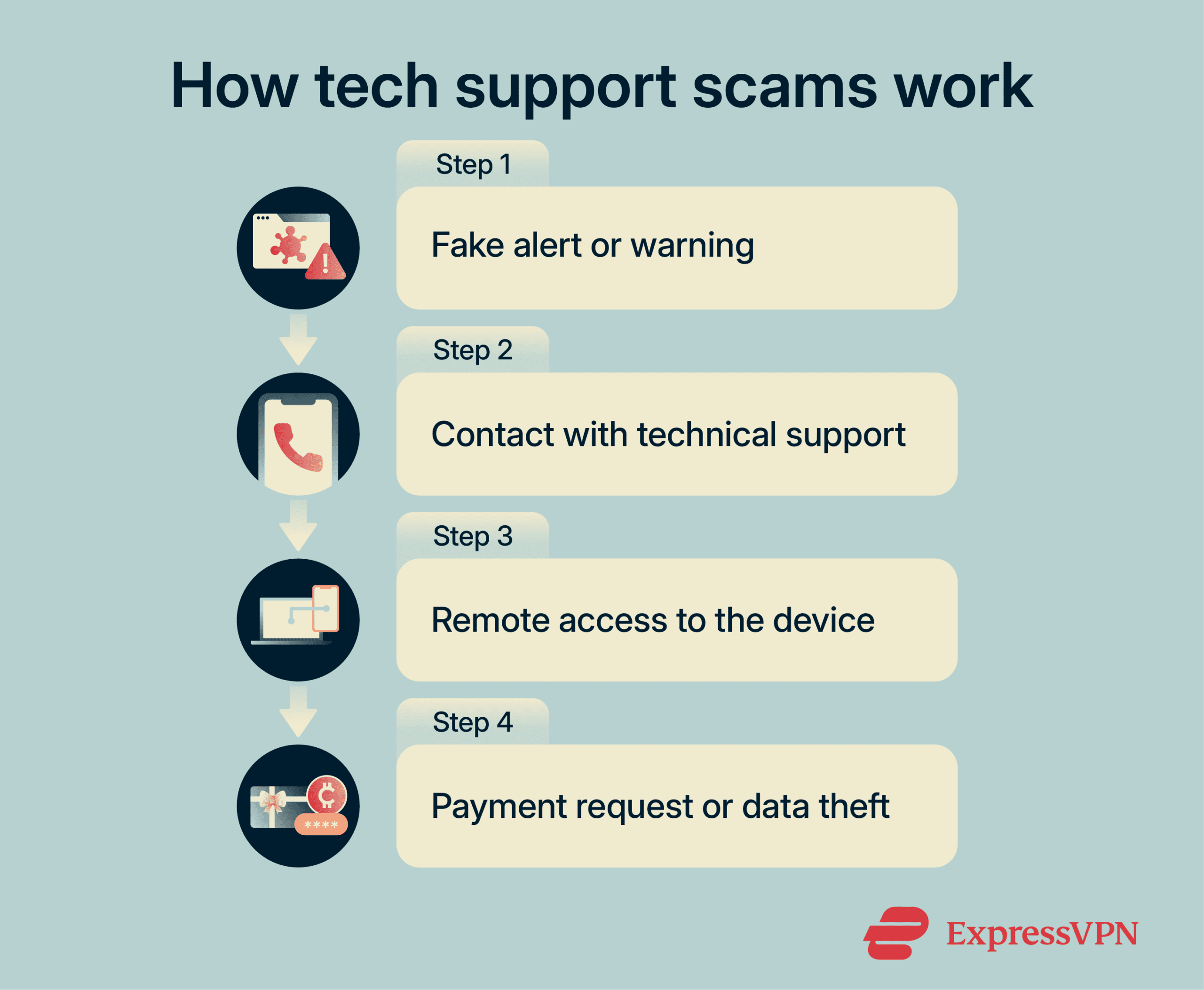
Common types of tech support scams
Tech support scams can take several forms. They can differ both in how scammers contact you and in the type of story they use to convince you that something is wrong. Here are some of the common ways they appear in practice.
Unsolicited phone calls
In this version, the scammer calls you directly, claiming to be a technician from Microsoft, Apple, or your ISP. They tell you your device has been sending error reports, is infected with malware, or is showing signs of unusual activity.
To make the situation sound credible, they may cite specific-sounding error codes, refer to your IP address, or walk you through opening diagnostic tools on your own computer. None of it means anything, but it can be convincing if you’re not expecting it.
These scams can involve large teams and be extremely well organized. For example, in 2025, international enforcement operations shut down multiple call centers that had been impersonating Microsoft support and targeting older adults in Japan.
Fake security alert pop-ups
In these scams, a window suddenly fills your screen with an urgent warning. It tells you that your device has a virus, that files are at risk, or that the system has detected suspicious activity. The message looks like a legitimate system warning from Windows Defender or macOS security tools and includes a phone number to call.
Some versions play a loud alarm sound, keep reopening the same warning window, or switch the browser to full-screen mode to hide the exit button, making it much harder to close the window.
One well-known version is the Apple security alert scam, where a browser message claims a critical system error and instructs the user to call a support number. The call connects to scammers, not Apple.
Fake antivirus and subscription renewal scams
Some tech support scams begin with an email or text that looks like a payment confirmation. It says a tech support or security subscription, often in the name of Geek Squad, Norton, or McAfee, has automatically renewed for a large amount, and that the charge has already been applied to your account.
The message includes a phone number to call if you want to dispute the charge. When you call, the scammer claims they need remote access to your device to process the cancellation. From there, the scam proceeds in the same way: they either steal data, install malicious software, or find a way to take your money.
A specific and well-documented version is the Geek Squad email scam, where targets receive convincing fake renewal notices that appear to come from Best Buy’s tech support service.
The Phantom Hacker scam
This is a more sophisticated, multi-stage version of the tech support scam that the FBI has specifically warned the public about. It unfolds in three coordinated phases, and it has resulted in people losing their entire life savings.
Phase one begins with a standard tech support scam: a pop-up or phone call claims the target’s device has been compromised. Once the scammer has access to the device, they look at the target’s financial accounts.
In phase two, a second scammer calls, this time pretending to be from the target’s bank. They tell them that a foreign criminal has accessed their account and that they need to move their money to a “safe account” immediately to protect it.
Phase three is optional: a third scammer contacts the victim, impersonating a government official, for example, someone from the FBI or the Federal Trade Commission (FTC), to add legitimacy to the earlier calls. The target is told to keep the transfers secret.
The scammers control the “safe account.” Once funds are transferred, often by wire transfer, cryptocurrency, or, in some cases, cash or gold, the money is gone.
No government agency will ever contact you and tell you to move or “protect” your money. No real official will ask you to buy gold bars, cryptocurrency, or gift cards as part of a security process. If someone tells you to do any of these things, it’s a scam.
Read more: Online safety tips for seniors
Warning signs of a tech support scam
Once you know what to look for, these scams are easier to spot. The following patterns appear across most types of tech support fraud:
- Someone contacts you first: Legitimate tech companies don’t usually call, email, or message you out of the blue to tell you there’s a problem with your device.
- There’s a phone number in a pop-up: Real security alerts from your operating system or antivirus software will never ask you to call a phone number displayed in a browser window. If a pop-up includes a support number, it’s a scam.
- They create urgency: The message insists something will go wrong, like data loss, a fine, or a hack, if you don’t act within the next few minutes. Scammers create pressure to stop you from thinking clearly or checking with someone you trust.
- They want remote access to your device: A request to install software so a stranger can control your device remotely is a serious warning sign. Once someone has that access, they can search your files, read saved passwords, and install malware without your knowledge.
- They ask for payment in gift cards, wire transfers, or cryptocurrency: No legitimate company or government agency will ask for this type of payment. Scammers choose these methods because they’re nearly impossible to reverse.
- They ask you to keep it secret: A real technician or official will never tell you not to tell your family or friends what’s happening.
Note that the caller ID is not a warning sign, so you shouldn’t expect it to look unfamiliar and rely on that to spot a tech support scam. Scammers can spoof phone numbers to make a call appear to come from Microsoft, Apple, your bank, or a government agency. You can’t always trust what the screen shows you.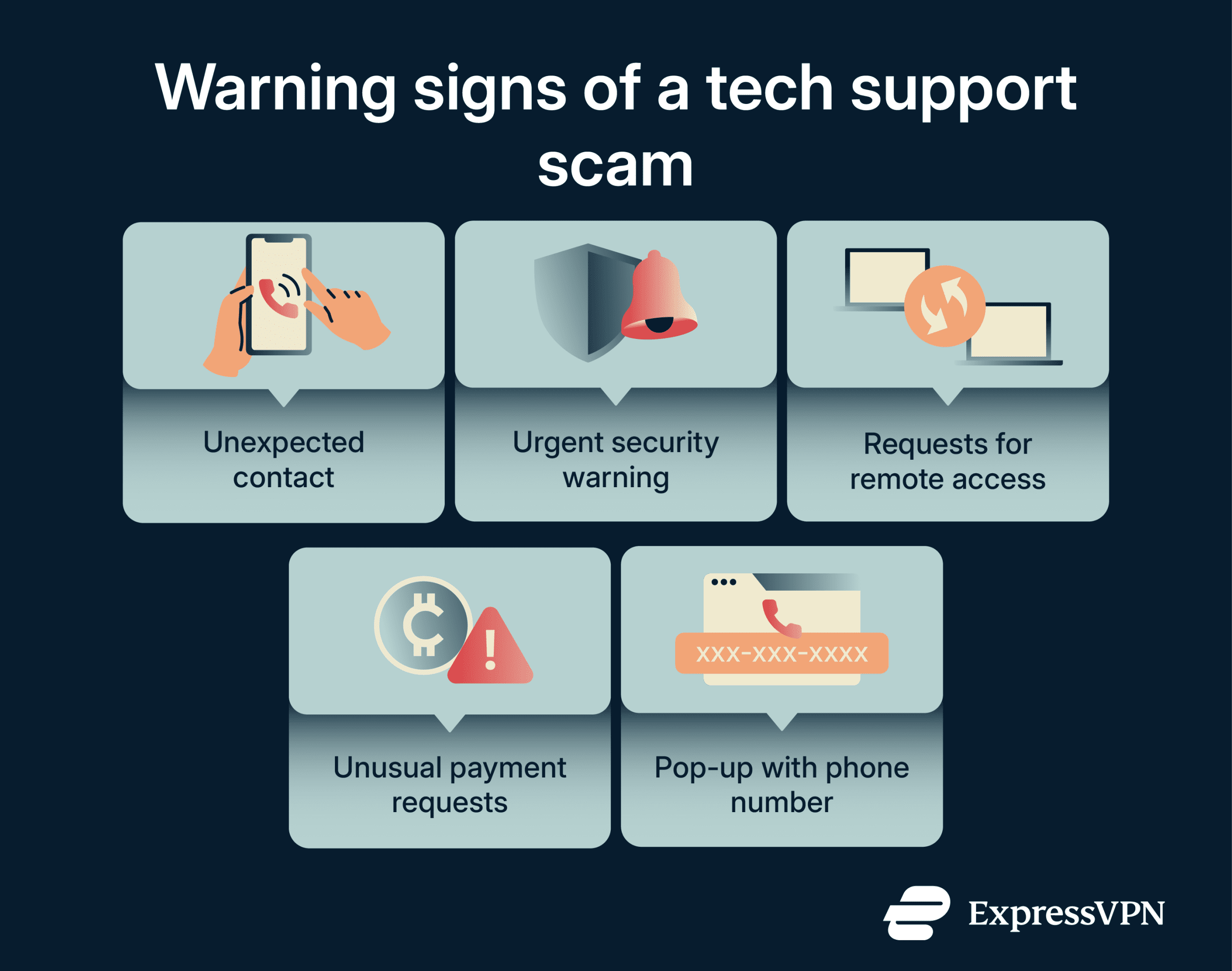
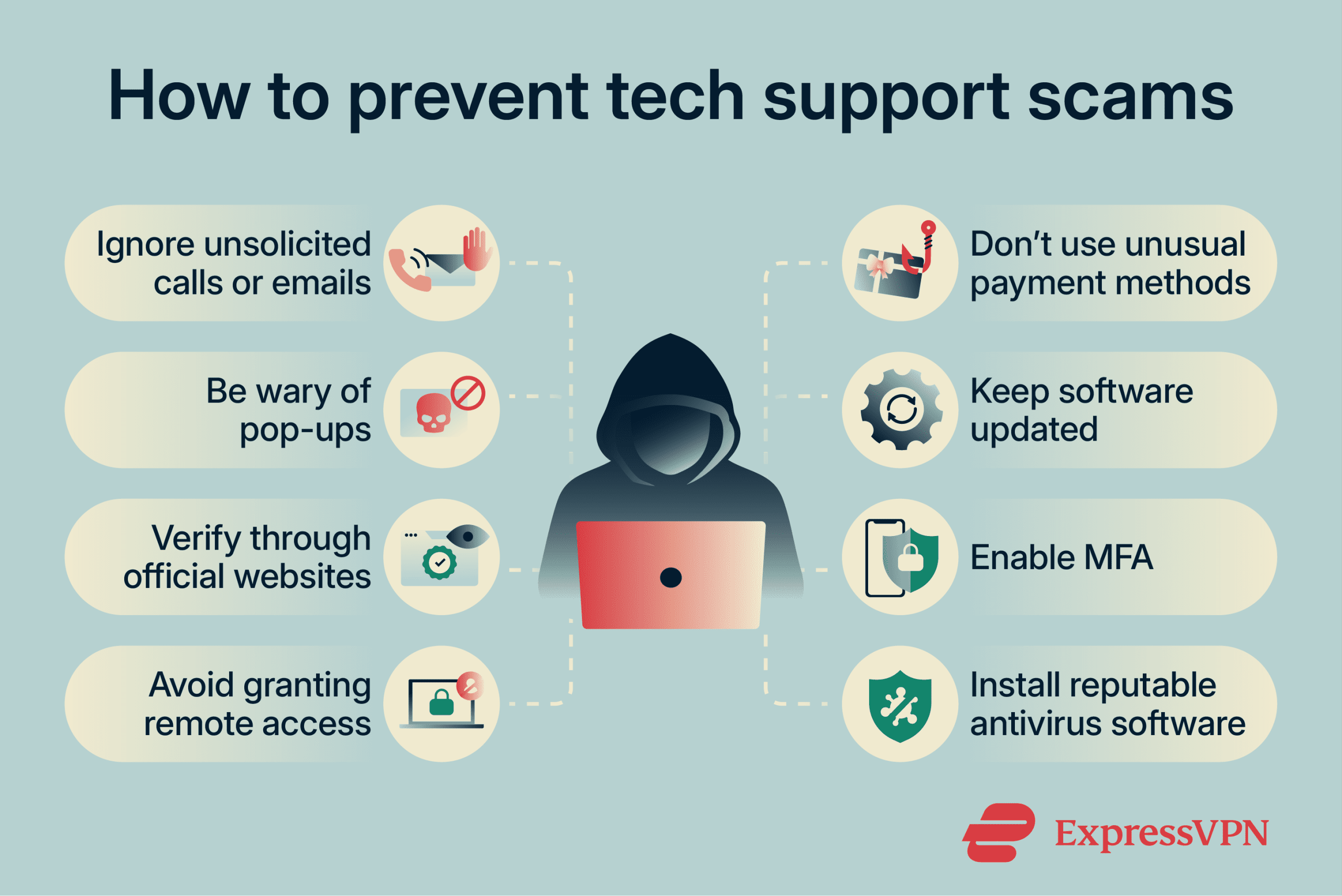
How to avoid tech support scams
A few simple habits can reduce the risk of falling for these scams:
- Hang up on unsolicited calls: If you receive an unexpected call from someone claiming to be from a tech company, end the call. You can always call the company back using a number from their official website.
- Close pop-up windows without calling the number: If a warning appears in your browser and you can’t close it normally, press Alt + F4 on Windows or Cmd + Q on a Mac to force-quit the browser. Don’t call any number or click a link in the pop-up.
- Never grant remote access to someone you didn’t contact first: Don’t install remote desktop software at the request of someone who called you, messaged you, or appeared in a pop-up. Only grant remote access to a technician or company you found and contacted yourself.
- Check your bank and card statements first: If you receive a message saying you’ve been charged for a subscription you don’t recognize, check your statements before calling any number. If the charge isn’t there, the invoice is fake.
- Talk to someone you trust before acting: If something feels wrong, for example, an unusual message, an unexpected call, or a request that seems strange, stop and speak to a family member or friend before you do anything. Scammers rely on keeping you isolated and acting fast.
What to do if you’ve been scammed
If you’ve already interacted with a tech support scammer, don’t panic. These scams are professionally designed to be convincing. It’s more important to act quickly than to dwell on how it happened.
- Disconnect from the internet immediately: If someone has remote access to your device, unplug the network cable or turn off the Wi-Fi.
- Check for software you didn’t install: Scammers sometimes install persistent remote access tools that continue running in the background after the session ends. Open your list of installed programs and remove anything unfamiliar, or ask a trusted technician to check for you.
- Change your passwords from a different device: Use a phone, tablet, or another computer you trust to change the passwords on your most important accounts, such as email, banking, social media, and any other accounts where you used the same password.
- Enable multi-factor authentication (MFA): Even if a scammer has your password, MFA means they can’t access your accounts without the second verification step.
- Contact your bank right away: If you shared financial details or made a payment, call your bank immediately using the number on the back of your card or from the official website. They can monitor your account, cancel cards, and, in some cases, reverse recent transactions.
- Run a full antivirus or malware scan: Use trusted security software to scan the device for malicious programs that may have been installed.
How to report a tech support scam
Reporting a tech support scam helps authorities track how these schemes operate, identify the people behind them, and warn others. Even if you didn’t lose money, the information you provide can help investigators spot patterns and shut down fraudulent operations.
The U.S.
Report scams to the FTC at ReportFraud.ftc.gov. The FTC shares information with law enforcement agencies across the country and uses complaint data to build cases against fraud networks.
For cases involving financial loss or identity theft, you can also file a complaint with the FBI’s Internet Crime Complaint Center (IC3) at ic3.gov.
If the scam impersonated a specific company, also report it to that company. Microsoft, for example, has a dedicated page for reporting fake tech support contacts.
The U.K.
In England, Wales, and Northern Ireland, report tech support scams to Report Fraud, the official service for reporting fraud and cybercrime. If you live in Scotland, report the incident by calling 101.
Australia, Canada, and other countries
Australian residents can report scams to the Australian National Anti-Scam Centre (NASC) via Scamwatch. In Canada, reports go to the Canadian Anti-Fraud Centre.
Many other countries have an equivalent national reporting service. Searching your country’s name alongside “fraud reporting” or “scam reporting” will usually find the right agency.
FAQ: Common questions about tech support scams
Are tech support pop-ups real?
Does Microsoft call people about viruses?
Can a tech support scammer infect my computer?
How do I know if a tech support message is fake?
What happens if I call a tech support scam number?
Can tech support scammers steal your money or identity?
Take the first step to protect yourself online. Try ExpressVPN risk-free.
Get ExpressVPN