User authentication explained: How it works, why it matters, and best practices


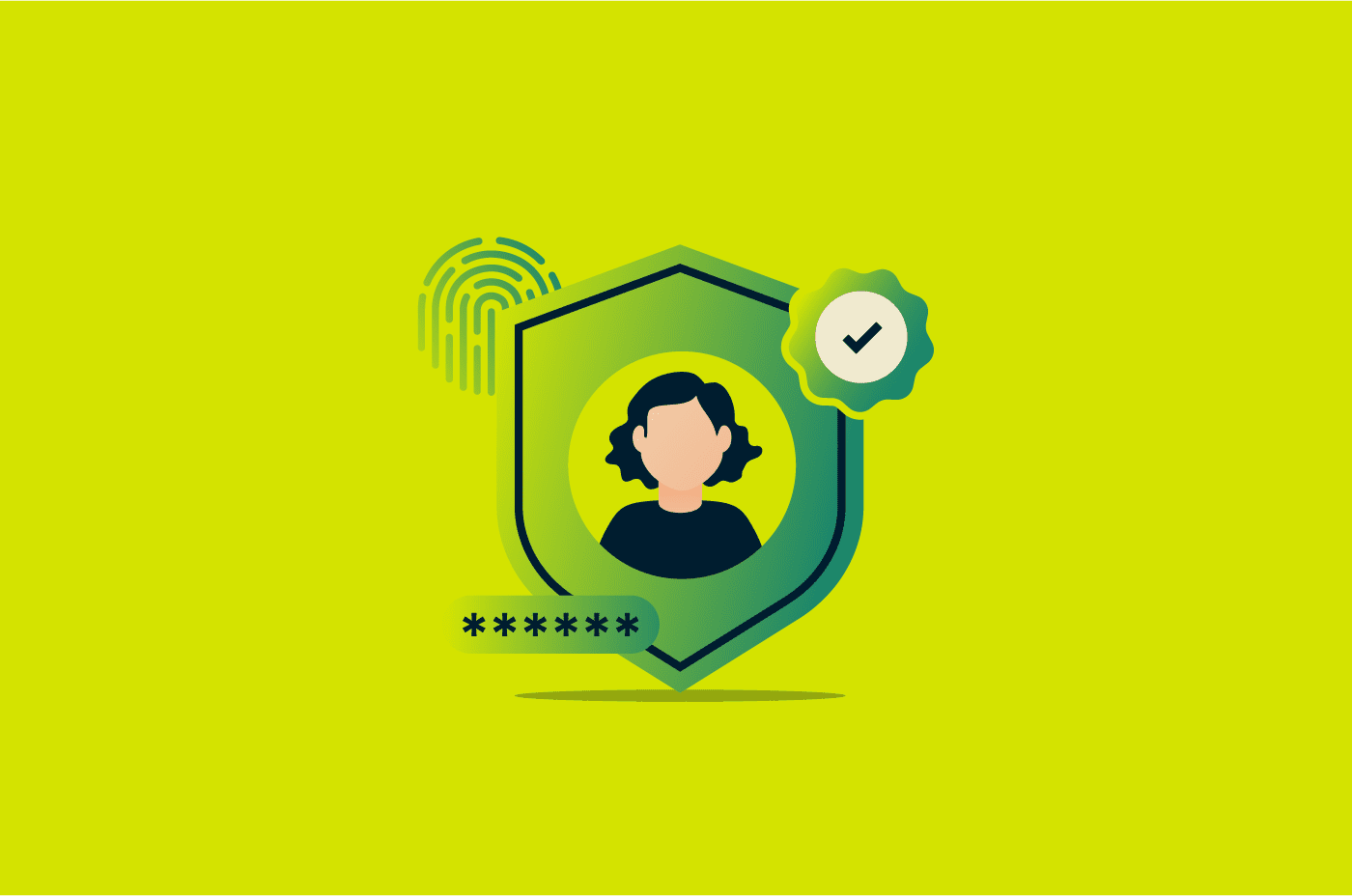
User authentication is what happens whenever you do something like log into your bank account, access your laptop, or sign into a social media account. It’s the process of verifying that a user is who they claim to be, which helps keep data and information protected from unauthorized access.
In this article, we cover what user authentication is and how it works. We also look at the various available methods and best practices you can follow to secure your accounts.
What is user authentication?
User authentication is the process of verifying that a user attempting access controls the authenticator tied to the account. It usually happens automatically behind the scenes via checks on credentials, token validation, or comparing biometrics, with the goal of verifying that the user attempting access is who they say they are.
User authentication is often confused with authorization, but they’re different things. In simple terms, authentication is confirming that the user is the same individual who previously verified their identity with that service, while authorization is determining what level of access they have once they’re authenticated.
Authentication is vital to both individuals and organizations. It helps protect personal information, and for organizations, it safeguards networks and systems from unauthorized access or cyber attacks.
In most cases, human-computer interactions require authentication to allow users access to systems and resources. This includes everything from corporate networks and online accounts to a user’s home Wi-Fi network, though some public or open-access services may not require credentials.
How user authentication works
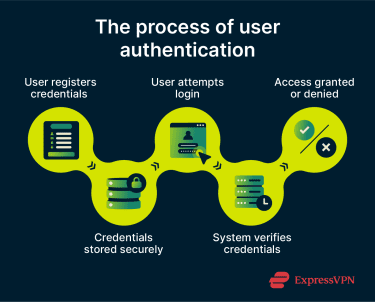
User authentication happens after the registration and exchange of credentials known as authentication factors. The entire process involves the following steps:
- Registration: Before authenticating, a user has to register themselves within an authentication system. In this step, the user registers authentication factors like a password, physical security token, or biometric scan. These factors allow the system to verify the person is who they say they are when they attempt to log into the system. For biometrics, the system usually stores an encrypted template rather than a raw image or scan to enhance security. Users may also enroll multiple factors for multi-factor authentication (MFA), which increases account protection.
- Storage: The authentication factors are kept in storage alongside various other pieces of information, such as the user’s unique identifier. Note that factors like passwords are usually hashed and salted before being stored, adding random data to prevent attacks. They’re not kept as plain text, as this would lead to immediate account compromise in the instance of a data breach.
- Authentication: After registration, a user attempting to access the system provides their unique identifier and authentication factors. The system checks its storage and authenticates the user if the credentials they’ve provided match what the system has on file. Modern systems may also include additional checks, such as rate-limiting failed login attempts, analyzing login behavior or device context, and using session tokens to reduce repeated logins.
Authentication factors explained
Authentication factors are what users are required to provide to verify that they are who they say they are. There are three main types of these factors.
Knowledge factors (something you know)
Knowledge factors include information that only the user knows. This could be details like their passwords, PINs, or answers to any security questions. Knowledge factors are the longest-standing authentication factors, but they’re also among the most vulnerable. Attackers can exploit them through methods such as brute force attacks (trying many combinations), dictionary attacks (using common words or leaked passwords), phishing (tricking users into revealing information), or credential stuffing attacks (reusing passwords obtained from other breaches).
Because of these risks, knowledge factors are often combined with additional authentication methods to strengthen security.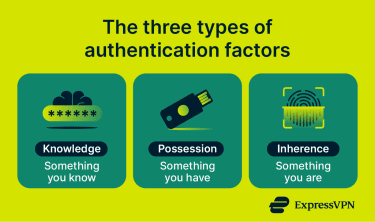
Possession factors (something you have)
Possession factors include things that a user has, like a key fob or USB key. They add an extra layer of security because an attacker needs physical access to something that you own. One of the most noteworthy examples of possession factors today is hardware keys like YubiKey, which are commonly used for passwordless authentication or MFA.
Inherence factors (something you are)
Inherence factors are characteristics that are completely unique to users, with some common examples being biometrics like fingerprint or retina scans. Inherence-based authentication factors can improve security because they’re things that can’t be guessed (like knowledge factors) or stolen (like possession factors).
However, inherence factors aren’t completely foolproof; biometric data can sometimes be spoofed, and if compromised, it can’t be changed like a password.
Common user authentication methods
There are several authentication methods available today, ranging from traditional password systems to more seamless passwordless approaches.
Password-based authentication
Traditional password-based authentication involves entering a password that’s memorized or stored in a password manager, alongside a unique identifier, such as an email address or username.
It’s one of the oldest and most common methods of user authentication, and many platforms still rely on it as the primary login mechanism. Based on data from the State of Customer Identity survey conducted in 2025 by identity and access management (IAM) provider Descope, 87% of organizations still use password-based authentication for their customer-facing applications.
Password-based authentication nowadays is usually complemented with additional factors for added security to ensure a single stolen password doesn’t compromise an account.
Multi-factor authentication (MFA)
MFA requires users to complete two or more independent authentication steps before they get access to a system. As mentioned above, this is vital in ensuring that a single compromised factor doesn’t lead to an account breach.
The most common implementation of MFA is two-factor authentication (2FA), in which a second factor, like a one-time passcode (OTP) or an authenticator app prompt, is used to verify the user’s identity.
Biometric authentication
Biometric user authentication relies on a person's unique physical characteristics for authentication. Fingerprint scanning, facial recognition, iris scanning, and voice recognition are all examples of biometric authentication. On devices like iPhones, for instance, users can enable Face ID as an inherence factor to unlock their device and provide authentication for apps.
Passwordless authentication
Passwordless authentication is a feature in modern user authentication software that removes the password from the equation entirely. Instead of a secret that the user has to know, this process uses alternatives like magic links or passkeys to verify identity. Passkeys use a cryptographically secure private key stored on the user’s device for authentication purposes when logging into a system.
While it shares some technical principles with certificate-based authentication, using public-private key cryptography, passwordless authentication is generally focused on human users and doesn’t require formal certificates issued by a certificate authority (CA). It can be seen as a convenience-focused, modern evolution of possession-based authentication methods.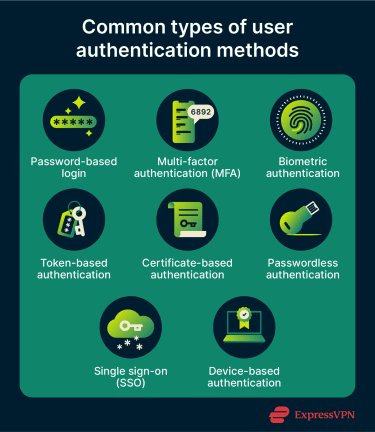
Token-based authentication
Token-based authentication is a possession-based method that enables user authentication with a unique access token that can either be digital or physical. One key distinction to note between digital and physical tokens is that physical tokens are generally used to log into a system, while web tokens are used after logging in to keep a session active.
A noteworthy example of digital tokens are JavaScript Object Notation (JSON) Web Tokens (JWTs), which a server generates and sends to a client once they’ve logged into a system. Each subsequent request the client sends includes the JWT alongside it as proof of identity.
Certificate-based authentication
Certificate-based authentication uses digital certificates derived using cryptography for authentication. One thing that sets it apart is that it isn’t targeted primarily at people, as it can also be adapted for Internet of Things (IoT) devices that need authentication.
It uses public-private key pairs, where the private key remains securely stored on the client device. During authentication, the server presents a challenge. The client solves it with their private key and sends the result to the server, which the server verifies with the public key. If the certificate is valid, trusted, and not expired or revoked, the server authenticates the client and grants access.
One of the key benefits of this type of authentication is convenience, since the digital certificate resides on the device and can be presented to a system without needing much input from the user. It’s also considered one of the more secure authentication methods, as it’s resistant to phishing and brute force attacks.
Device-based authentication
Device-based authentication relies on cryptographic keys stored on trusted devices like a user’s smartphone, laptop, or tablet for authentication instead of credentials like passwords.
It’s enabled through the presence of dedicated security chips available in modern-day devices, like Secure Enclave hardware in Apple devices, StrongBox Keystore on Android, and Trusted Platform Module (TPM) chips on Windows systems (now increasingly integrated directly into processors through designs like Microsoft Pluton). These components generate, store, and manage cryptographic keys, providing strong protection against software-based attacks.
Device-based authentication underpins many passwordless and passkey systems but differs from certificate-based authentication in that it focuses on hardware-bound keys rather than CA-issued certificates.
Single sign-on (SSO)
Single sign-on (SSO), as the name suggests, is an authentication method that only requires users to authenticate with a single set of credentials, after which they can access various connected apps and platforms freely. It’s typically handled via an identity provider that establishes the session and provides tokens, which connected services can then accept.
SSO is frequently seen in organizational contexts and is often deployed across intranets, student portals, and enterprise toolsets where users need to move between applications throughout the day. Of course, individual users interact with SSO as well. For example, once you log into your Gmail account, you’re able to access other Google platforms like Google Photos and Google Drive without needing to log into your account again.
Challenges of user authentication
While strong authentication methods can reduce the risk of account compromise, some limitations still exist that attackers can exploit to get unauthorized access.
Phishing and credential theft
Credential theft is among the biggest threats to user authentication, with IBM’s X-Force Threat Intelligence Index highlighting that valid accounts have remained one of the most common initial access vectors in recent years, and many compromised credentials likely originate from infostealers and credential-harvesting campaigns.
Phishing is one of the key methods used for credential theft, where attackers trick users into revealing login credentials via deceptive messages or websites. More advanced techniques, such as adversary-in-the-middle (AiTM) attacks, go a step further by intercepting communication between the user and a legitimate service. These attacks can capture not only login credentials but also session cookies, allowing attackers to bypass MFA and gain unauthorized access to accounts.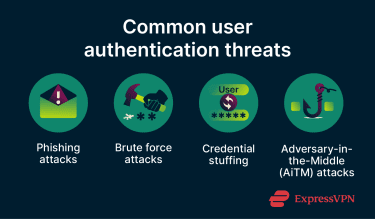
Weak or reused passwords
As described above, weak or reused passwords can be exploited via brute force, phishing, or other attack methods, so improper password hygiene among users is a key limitation of user authentication methods that rely on passwords.
Our article on password security sheds light on emerging password security trends over the past decade. Thankfully, proper password hygiene isn’t a difficult process nowadays. Using a password manager like ExpressKeys, you can easily create and store unique passwords for all of your accounts.
Balancing security with user experience
Adding more authentication steps can improve security, but it also leads to more friction, and this can have consequences.
For instance, research from the FIDO Alliance, an industry group focused on developing passwordless authentication standards, surveyed over a thousand people across various countries and found that 48% of consumers abandon a purchase entirely after simply forgetting their password for an account. This highlights how getting authentication right is a challenging task, requiring a level of security that keeps users’ accounts safe while ensuring the experience is as seamless as possible.
Best practices for stronger authentication
Effective authentication security requires a mix of practicing good credential hygiene, relying on multiple factors, and actively monitoring for issues.
Use multi-factor authentication whenever possible
MFA is among the easiest ways to enhance user authentication security. It’s a widely available option that almost every major online platform offers nowadays and one that should always be enabled for important accounts like email, banking, and work.
If you have accounts with elevated privileges, like an administrator-level account, pairing MFA with a phishing-resistant factor like a hardware security key can add an effective extra layer of protection.
Practice strong password and credential hygiene
Password-based authentication is still a key part of the modern-day digital world, which is why practicing good credential hygiene is critical. This involves using long, unique passwords for all your accounts.
Try passwordless authentication solutions
Given the risks of password-based authentication systems, shifting to passwordless systems can be a good approach, given their security and convenience. Google reported in 2024 that passkeys had been used over a billion times across over 400 million Google accounts since their introduction to the Google ecosystem in 2022. You can check any accounts you have and enable passwordless authentication if it’s supported.
Monitor and respond to suspicious login activity
Constant vigilance is key to ensuring security. Many platforms and apps send email or push notifications when a login occurs from an unrecognized device or location, and treating these alerts as urgent is a simple but effective security habit.
If you receive a notification about a login you didn’t make, it’s important to act immediately. Change your password, end any active sessions you don’t recognize, and ensure security measures like 2FA are set up. Most major platforms, including Google, Apple, and Microsoft, let you review active sessions and sign out remotely. It's also worth reporting the suspicious activity to the platform directly, as this can help them in an investigation.
Enable automatic logout
Many devices, applications, and online services allow a timeout period after which an account is logged out automatically if it’s inactive. Enabling this is a simple way to limit exposure if a device or account is left unattended.
FAQ: Common questions about user authentication
What are the three authentication factors?
What is the difference between MFA and 2FA?
Is biometric authentication more secure than passwords?
What is passwordless authentication?
Take the first step to protect yourself online. Try ExpressVPN risk-free.
Get ExpressVPN